
01
Add your students
Keep contact details and lesson packages together.
A LITTLE ORDER. A LOT MORE FREEDOM.
Whether you teach academic subjects, music, languages, driving or fitness, Tutor Ledger helps organise your lessons, student or client details, and payments. Bring your teaching day together in one simple iPhone app.
Free for up to 15 students · Premium when you’re ready
Actual app screens · Illustrative records
LESS TO JUGGLE
From the first booking to the last payment, keep the details in one place.
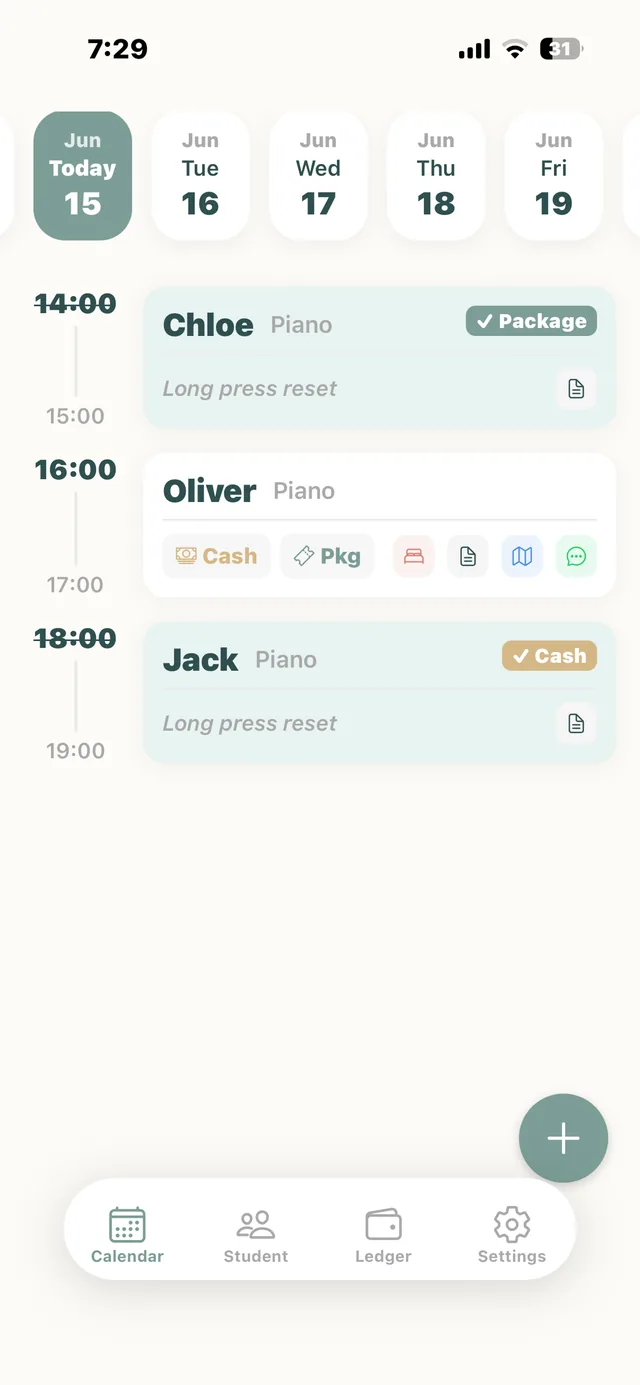
01 / YOUR SCHEDULE
A clear calendar puts your lessons in view. Spot clashes before they happen and keep a busy teaching week feeling manageable.
Screens shown in English. The app currently advertises English and Traditional Chinese support.
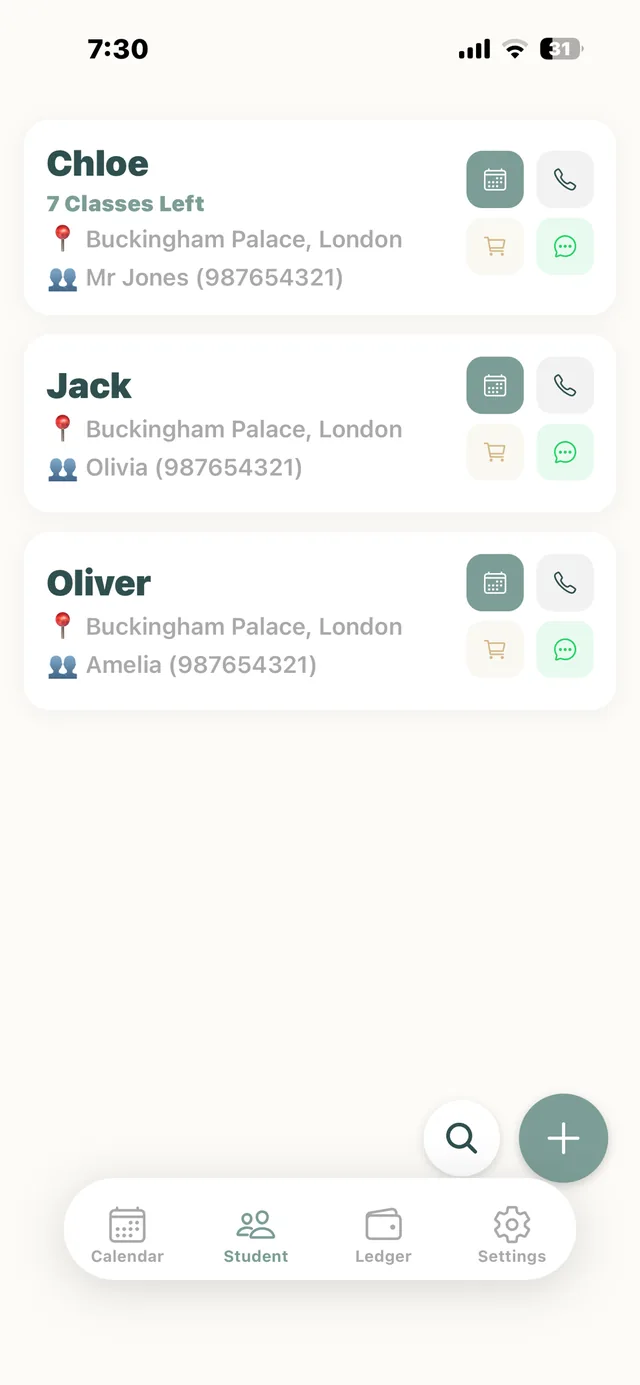
02 / YOUR STUDENTS
Student and guardian details, lesson packages and remaining credits live together. Reach the right person without searching through your messages.
Screens shown in English. The app currently advertises English and Traditional Chinese support.
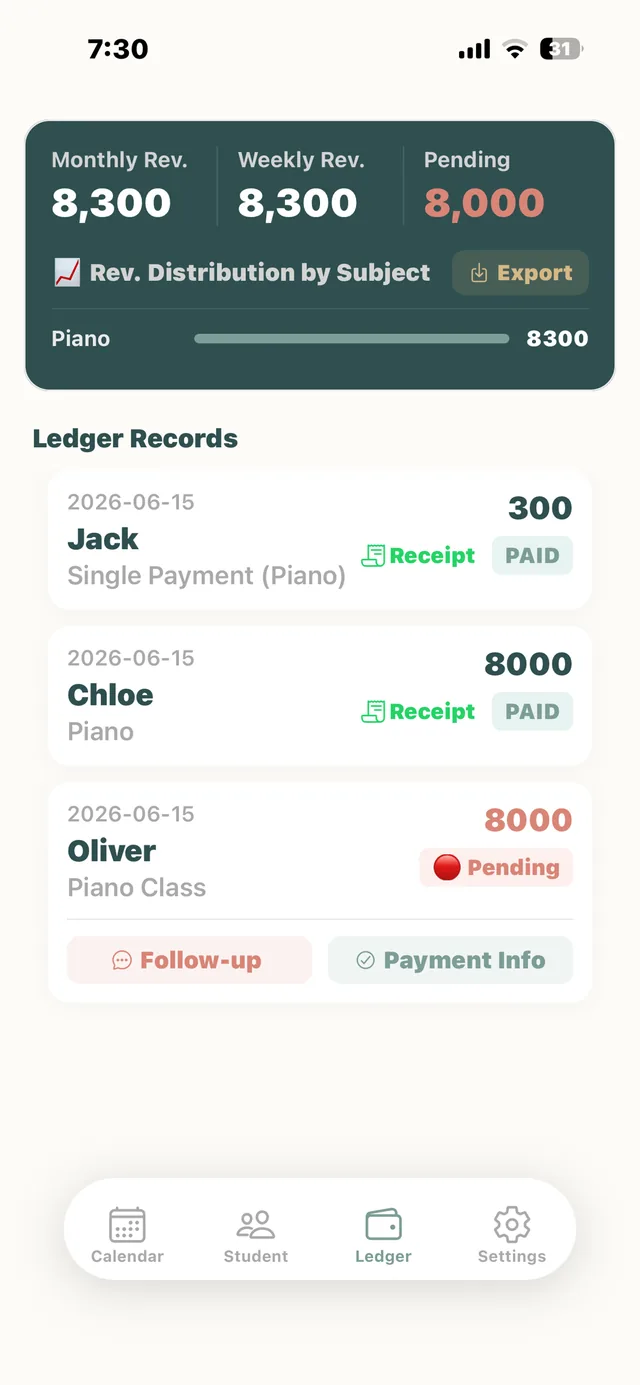
03 / YOUR PAYMENTS
Keep your payment records close to your lessons. See received and outstanding payments, then follow up when you need to.
Screens shown in English. The app currently advertises English and Traditional Chinese support.
A SMALL ROUTINE. A CALMER DAY.
Keep contact details and lesson packages together.
Set up your calendar and check for overlapping times.
Record payments and see what needs a follow-up.
ROOM TO GROW
Get the everyday essentials for free. Choose Premium when you want more room, less repetition and a clearer view of your business.
Your teaching essentials, together.
Includes occasional adverts.
Download freeMore students. A smoother routine.
| United Kingdom | £4.99 / month |
|---|---|
| Hong Kong | HK$38 / month |
| Singapore | S$6.98 / month |
| Malaysia | RM22.90 / month |
| Japan | ¥800 / month |
| United States | US$4.99 / month |
Download free, then upgrade inside Tutor Ledger.
Regional prices are indicative, based on the current website. Apple shows the final price and subscription terms before you confirm in the app.
Tutor Ledger is an iPhone app for independent tutors and coaches to organise lessons, student or client details, lesson packages, and received or outstanding payments. The free plan supports up to 15 students or clients. Optional Premium features are available through an in-app subscription. User guide →
Yes. The free version supports up to 15 clients or students, with calendar scheduling, payment records and lesson-package tracking. It includes occasional adverts. Premium is an optional in-app subscription. Free & Premium →
This website is available in Traditional Chinese, Simplified Chinese and English. The app currently advertises English and Traditional Chinese support. Website translations do not add languages to the app. User guide →
Core lesson and payment records are stored on your device and work offline. Sending messages through WhatsApp or iMessage, App Store purchases and iCloud backups require the relevant services and an internet connection. User guide →
Download Tutor Ledger from the App Store, then choose Premium inside the app. Review Apple’s price and subscription terms before confirming. You can manage or cancel your subscription in your Apple account settings. Free & Premium →
Music and language teachers, driving instructors, personal trainers and other independent instructors can also use Tutor Ledger to organise lessons, student or client details, lesson packages and payments. Switch between “Student” and “Client” labels to suit the way you teach. User guide →
Create a learner profile, schedule driving lessons in the calendar and check for time clashes. After each lesson, record a single payment or deduct a lesson from a prepaid package. The ledger keeps received and outstanding payments together, supporting both pay-per-lesson and package arrangements. User guide →
Use client profiles and lesson packages to record purchased sessions, deduct a session after training and check the remaining balance. You can also schedule sessions, record payments and contact clients through WhatsApp or iMessage. User guide →
The tutor’s notebook
Practical guides to payments, parent communication and running your lessons.
Published
Agree payment arrangements early, send a polite reminder and maintain an up-to-date ledger. Includes a WhatsApp tuition-fee reminder you can adapt.
Read article ↗Published
Set expectations, share learning progress, record important agreements and choose a main contact channel. Four practical habits for tutor–parent communication.
Read article ↗Published
Studio Water explains the everyday problems behind Tutor Ledger: lesson clashes, outstanding fees and lesson-package balances.
Read article ↗YOUR NEXT LESSON, WITH LESS ON YOUR MIND.
Bring your teaching day together with Tutor Ledger.
Download on the App StoreFor iPhone · Free download · Optional in-app subscription